Monthly income goal
Set a paid-income target, see your progress and know what's left to reach it.
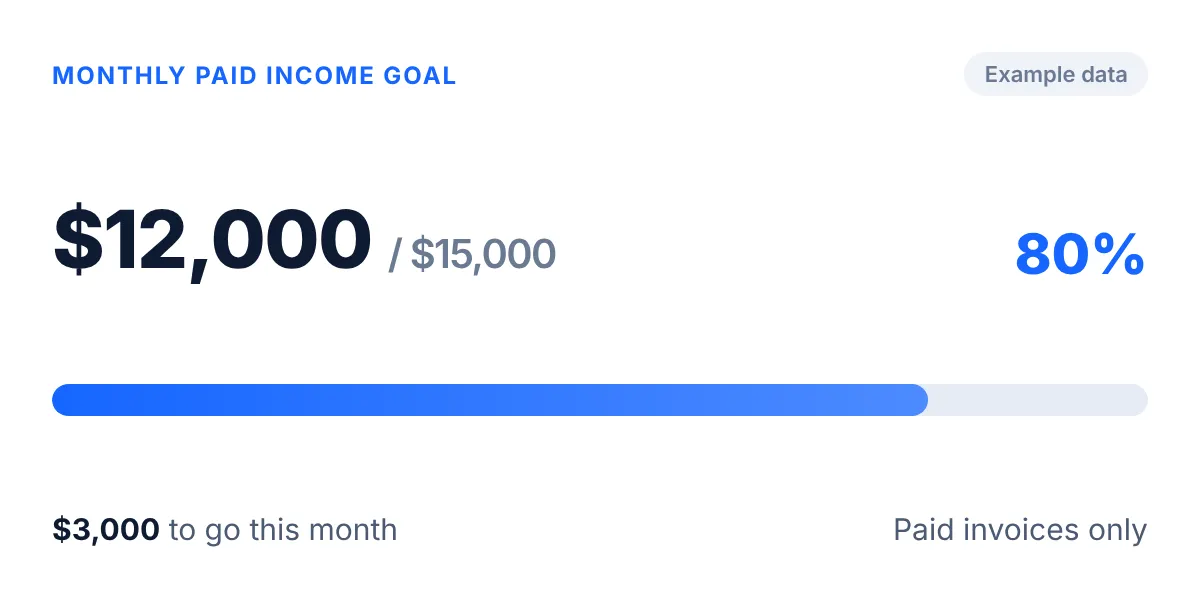
Business target · profit per hour$100/hrYour target. Your progress.
Example data
Built for Australian sole tradies
Quote. Track. Invoice. Get paid.
And see what your time is actually worth.
Trackexa is job management software for Australian sole tradies. Create quotes, track jobs, record hours and materials, send invoices, and see what each job is actually returning.
14 days free · No credit card required
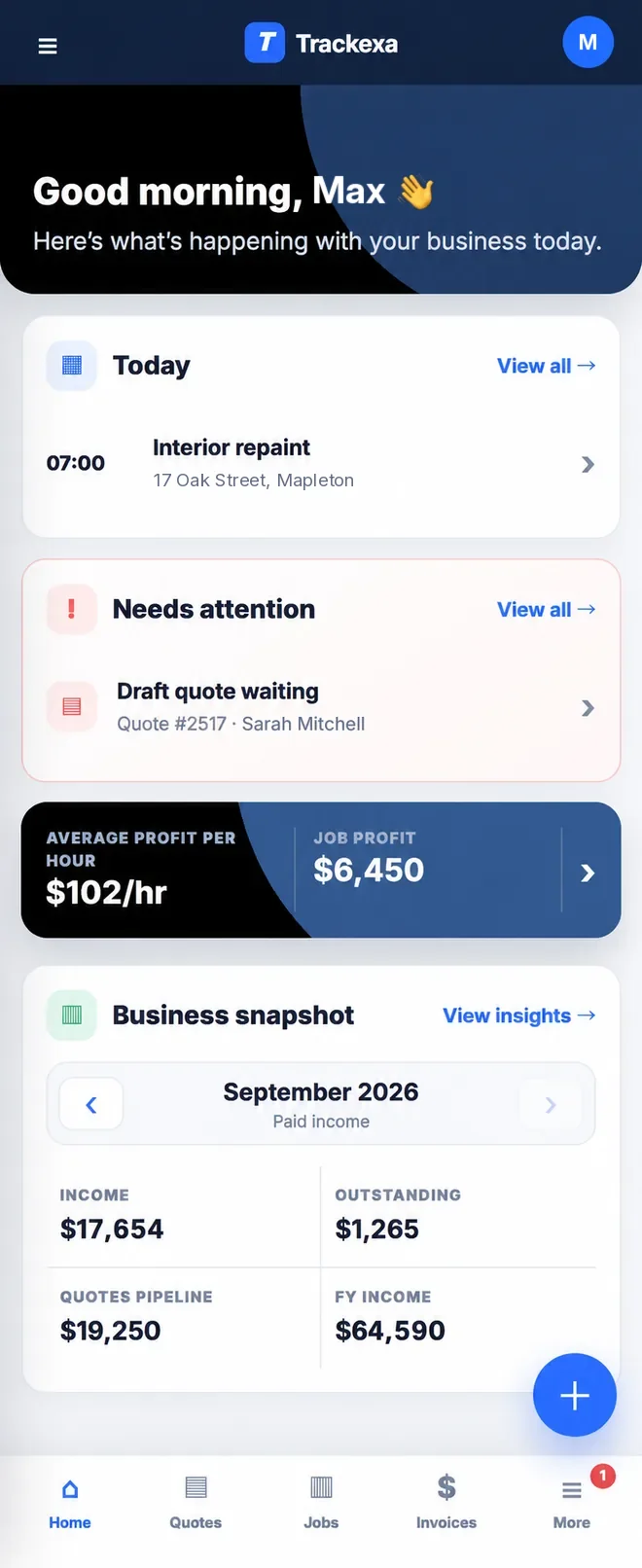
Trackexa Home screen
A full calendar can look great. But if one type of job is returning $100 an hour and another is returning $65, you need to know.
Trackexa brings your hours, costs and job value together so you can see which work is performing, and which work needs a rethink.
Stop guessing. Start knowing.
Open Trackexa and instantly see what matters.
Example dashboard figures.
No spreadsheets. No digging. No guessing.
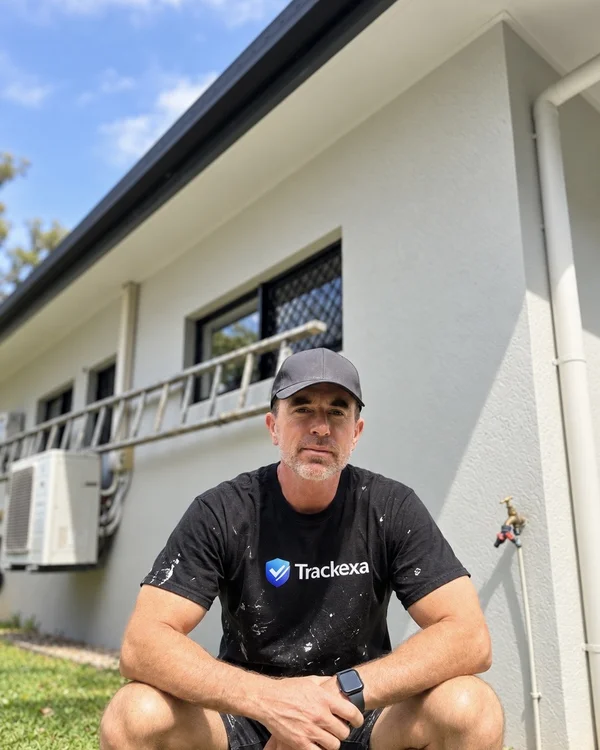
Joel's story
"The numbers showed me I was underpricing the work."
I'm Joel, a painter from Cairns. I wanted a better way to understand my own business.
Once I started tracking my jobs properly, I noticed something. Most of my jobs were returning around $100 an hour after paint and materials. But my four-bedroom interior repaints? Around $65 an hour. (From my own painting jobs; figures before overheads, tax and super.)
That changed how I priced those jobs. I've written up how to price a painting job.
Trackexa made visible something I'd previously been guessing about. Once you can see it, it's pretty hard to ignore.
That's why I built Trackexa.
Joel Walters
Painter, Cairns · Founder of Trackexa
More on Trackexa for painters →
Working on your own? See how Trackexa works as sole trader job management software.
Build a professional quote and send it.
Quote accepted? Convert it without starting again.
Record hours, materials and other job expenses.
Use what you've already entered. Tweak it and send.
Know what the job was worth after your time and costs.
Not just what you invoiced. Information that helps you price the next job better. See how the profit per hour tracker works.
You quote the job. Do the work. Buy the materials. Answer the customer. Send the invoice. Chase the payment. Do the paperwork at night.
Trackexa is built for that business. The sole trader.
On site. One hand free. Create Quote, Send Invoice, Add Job and Start Tracking are right where you need them.
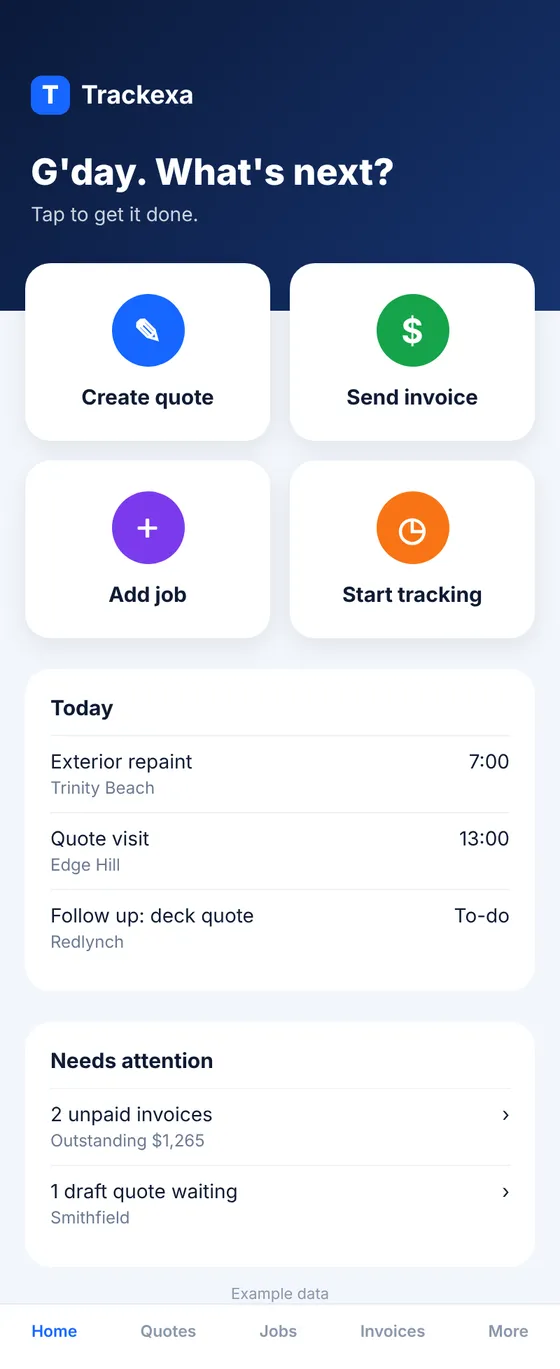
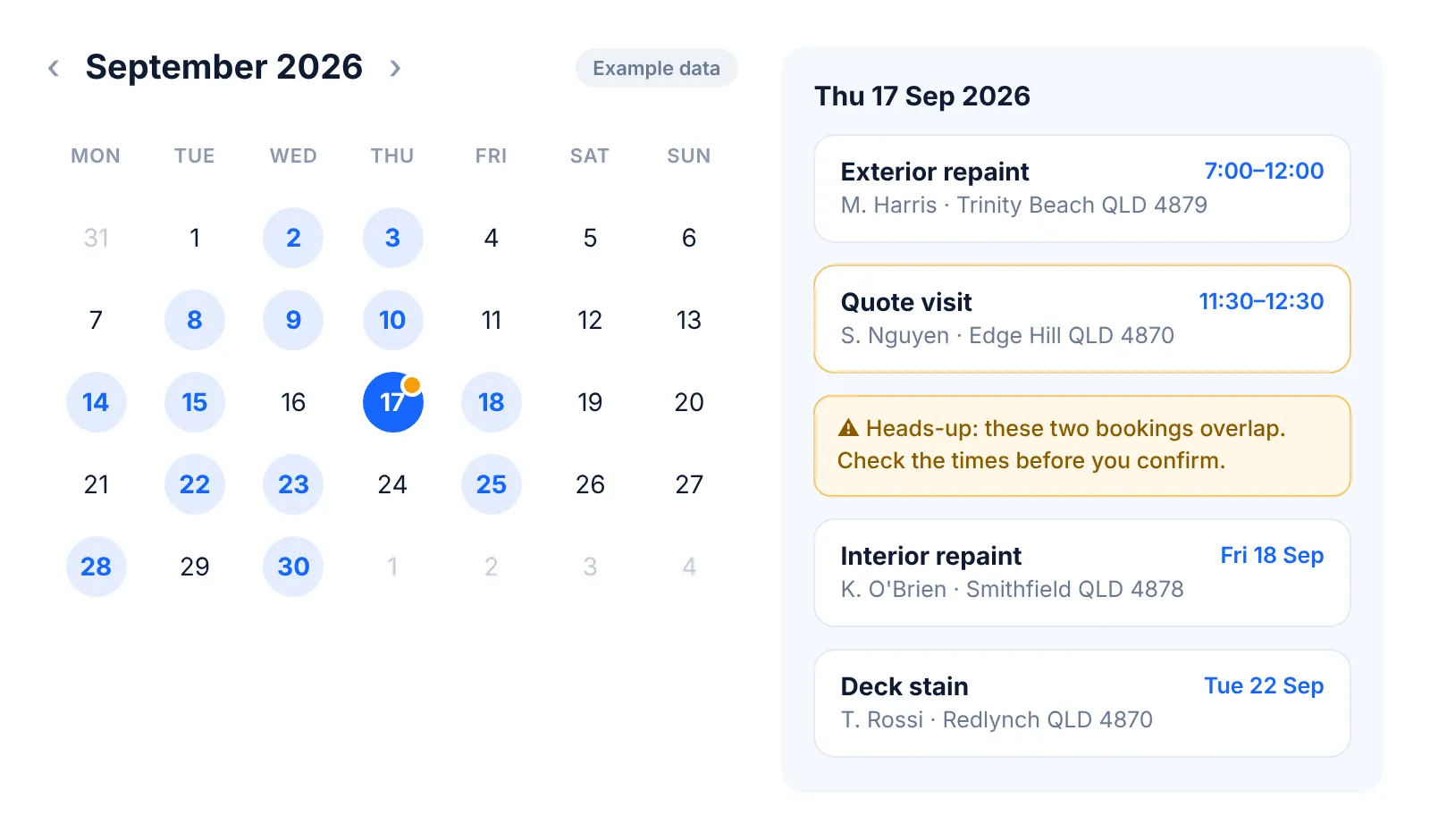
Your workday, sorted
See your month at a glance and get a heads-up when bookings overlap.
Plan single-day or multi-day work. See existing bookings, customers, addresses and times before you choose a date.
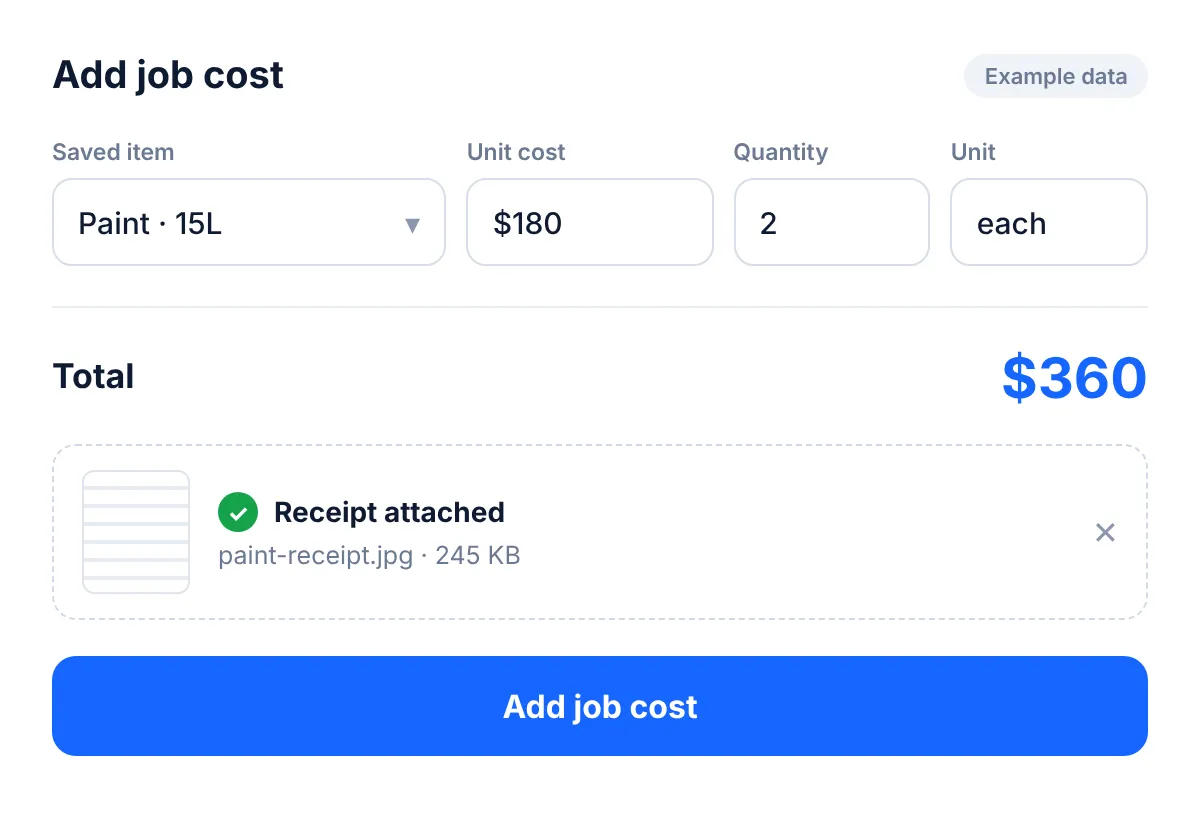
Save the materials and costs you use often, along with their unit prices. Choose a saved item, add the quantity, and Trackexa calculates the total.
More than a snapshot
See what needs attention. Know how you're tracking. Notice the wins.
Set a paid-income target, see your progress and know what's left to reach it.
Example data
Filter Action, Win, Money and Insight updates. Mark them read, dismiss them, or open the related work.
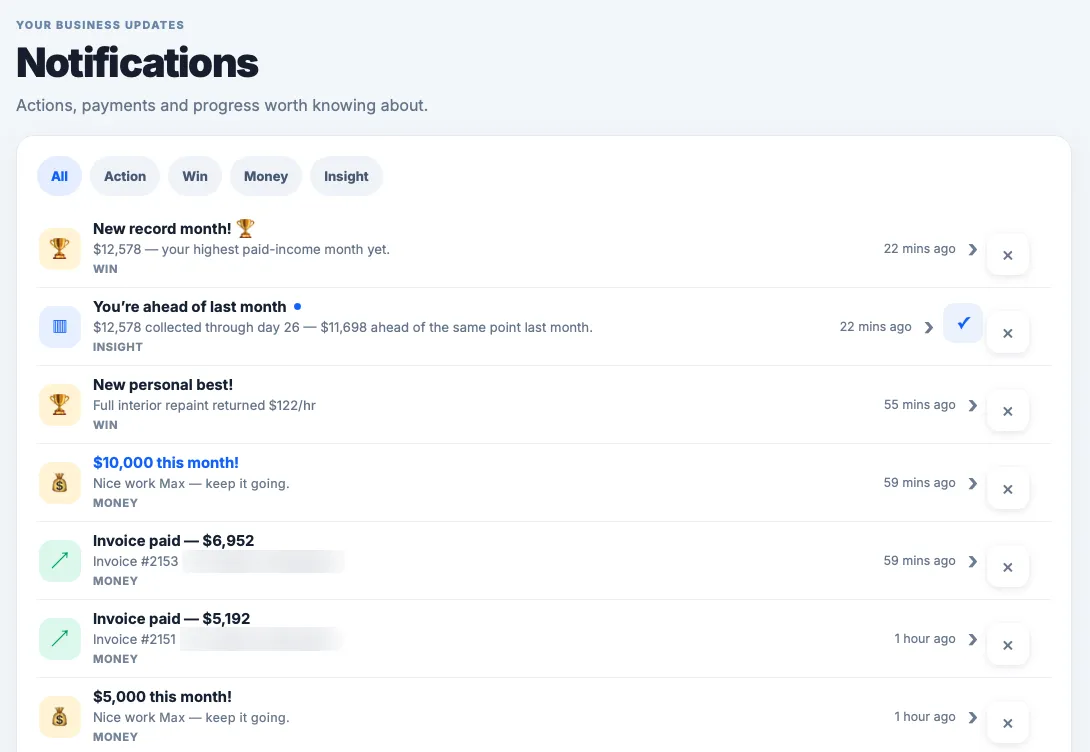
Celebrate qualifying milestones, paid-income records and job personal bests. Real Trackexa pop-ups, the moment they happen.


Illustrative examples. Insights appear when enough eligible data is available.
Quotes, deposit and balance invoices, and PDF downloads.
To-dos, priorities and customer details close at hand.
Use Trackexa in the browser on your phone, tablet or desktop. Nothing to download.
Australian financial years. GST. AUD. Sole traders. No awkward overseas terminology. No enterprise complexity.
Read more about Australian tradie software →
Simple pricing
The tools to run the job, and the numbers to run your business.
No complicated tiers. No job credits. Just one flat monthly plan.
 Trackexa Pro
$39 AUD / month inc. GST
Start your 14-day free trialNo credit card required.
How we compare
The essentials you expect, with a clear focus on what your own time returns.
| Feature | Trackexa | Tradify | ServiceM8 | Fergus | Jobber |
|---|---|---|---|---|---|
| Calendar & scheduling | Included | Available | Available | Available | Available |
| Job cost tracking | Included | Pro & above | Premium & above | Available; reporting varies by plan | Grow & Plus |
| Reusable priced items | Saved job-cost descriptions & unit costs | Price lists | Materials list | Price books | Products & services; unit costs on selected plans |
| Income / revenue goals | Editable monthly paid-income goal | Not verified | Not verified | Not verified | Annual sent-invoice revenue goal on Plus; separate Business Goals Labs |
| Hourly return target | Included; eligible-job streaks | Not verified | Not verified | Not verified | Different metric: profit-margin alerts on Plus |
| Billing model | $39 AUD/month flat plan, inc. GST | Per user; advertised AUD prices exclude GST | Job-volume plans; free tier; paid plans include unlimited users | Per full user; other user types available | Plans with user limits; published prices in USD |
| Feature | Trackexa | Tradify | ServiceM8 | Fergus | Jobber |
|---|---|---|---|---|---|
| Quotes & invoices | Included; deposit & balance invoices | Available; progress invoicing Pro & above | Available; inclusions vary by plan | Available | Available |
| Job performance | Job return, margin and return per recorded hour | Costing & bill tracking; exact hourly-return equivalent not verified | Job costing / back-costing on Premium & above | Job-cost and financial reporting | Job profit and margin on Grow & Plus |
| Notifications & insights | Action, Win, Money and Insight; qualifying achievements | Appointment notifications; reminder features depend on plan | Staff scheduling notifications | Email alerts & reminders | Activity feed; Plus margin alerts; separate Business Goals Labs |
| Receipts / supporting files | Receipts attached to job costs; view and download | Job photos/files on Pro & above; exact receipt workflow not verified | Job photos; exact receipt-to-cost workflow not verified | File/photo features; exact receipt-to-cost workflow not verified | Receipt attachments to expenses on selected plans |
| Australian FY / GST dashboard | Included | Exact equivalent not verified | Exact equivalent not verified | Exact equivalent not verified | Exact equivalent not verified |
| Phone access | Works in your phone's browser (iPhone & Android) | iOS & Android apps | iOS and Android apps (Android has almost all iOS features) | Mobile app; confirm device feature parity | Mobile app; confirm device feature parity |
Not verified means we couldn't confirm it in the vendor's public material. It does not mean the feature is unavailable. "Available" does not mean every plan. Reviewed 5 October 2026.
Jobber's revenue goal counts sent invoices and is annual; Trackexa's monthly goal counts paid income. ServiceM8 has a free plan and iOS & Android apps (Android has almost all iOS features, per ServiceM8's help centre). Paid plans are by job volume with unlimited users. Competitor features and terms can change.
Sources: Tradify pricing · ServiceM8 AU pricing · Fergus AU pricing · Jobber pricing · Jobber Help Center
Yep. You get a 14-day free trial, and no credit card is required. Sign up, have a poke around, and see if it works for you. No commitment, no lock-in.
$39 AUD/month inc. GST, flat. No per-user fees, no job credits, no surprise charges. One simple price.
Yes. Trackexa runs in your web browser on iPhone and Android phones, as well as tablets and computers, so there's nothing to download or install. Whether you're on-site or in the ute, sign in and your work is there.
You can add existing customers and jobs manually. There's no bulk import right now, but most tradies find it easier to just start fresh. It only takes a minute per entry to get going.
One of the most useful parts of the app. Log your hours and materials against each job, and Trackexa shows the profit, margin and profit per hour. It's your recorded job value, less recorded job costs, divided by the hours you log, so it's not necessarily take-home pay after overheads and tax, but it shows which jobs are worth doing and which ones are quietly costing you.
Yes. Schedule a job straight from a quote and you can add it to Google Calendar, with the customer name, address and phone number filled in for you. Trackexa also has its own monthly calendar.
Absolutely. Trackexa works for painters, plumbers, electricians, builders, cleaners, landscapers, carpenters: any trade or service business that quotes jobs and tracks time.
Drop us a line at support@trackexa.com. You'll hear back from a real person, not a bot.
Trackexa shows paid income including and excluding GST and GST collected on paid invoices (assumes 10% GST). Australian financial year reporting (July–June) is built in. It does not yet track GST paid on purchases. Use your receipts or accounting software for GST credits.
Trackexa is built for Australian sole traders who want a simpler app, profit per hour on every job, built-in Australian FY and GST views, and flat-rate pricing, without per-user fees. See a detailed side-by-side comparison with Tradify. You can also compare ServiceM8 vs Trackexa or Fergus vs Trackexa if you're weighing other options.
A real person when you need one. support@trackexa.com
Save time. Make better decisions.
You don't need more paperwork. You need better information from the work you're already doing.
Quote it. Track it. Invoice it. Learn from it. Price the next one better.
Start your free trial14 days free · No credit card required