Illustrative AI image. Not a real customer.

Job management software for sole traders

Quote, track the job, invoice, and see what each job returned for your time. One login, built for a business of one.

$39 AUD a month inc GST after the trial. No credit card required.
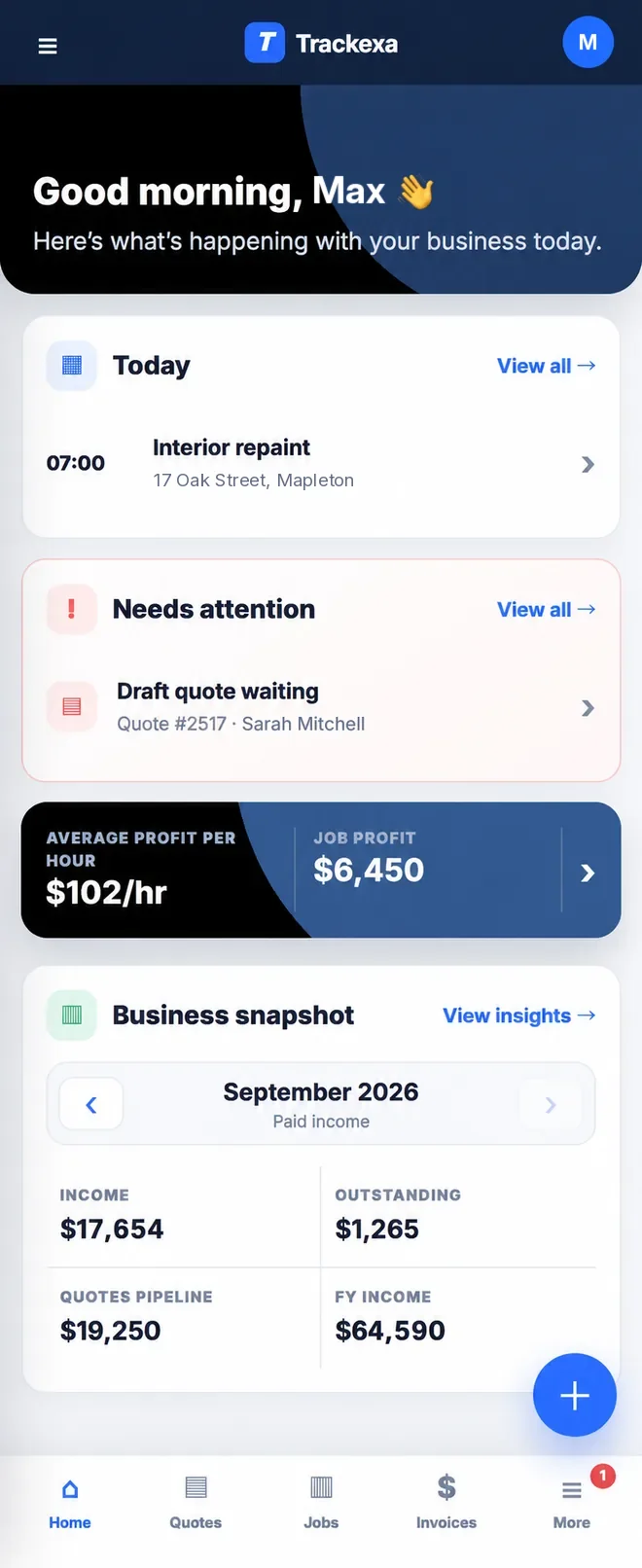
Trackexa dashboard on a phone showing hourly performance, outstanding invoices and quotes in the pipeline (example data)
Example data

Your whole day in one place

You quote the job, do the work, buy the materials and send the invoice. Trackexa follows that same order, so you're not retyping the same details.
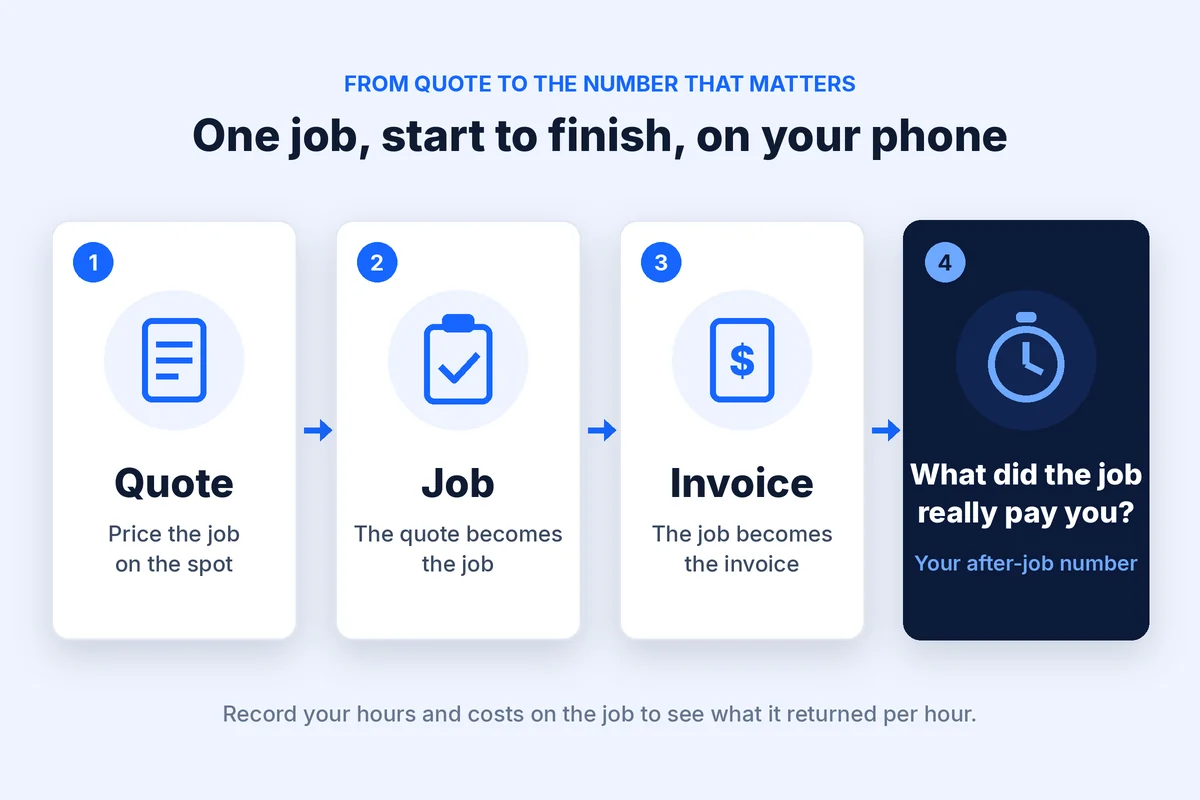
  1. Create the quote. Build a professional quote and send it.
  2. Turn it into a job. Quote accepted? Convert it without starting again.
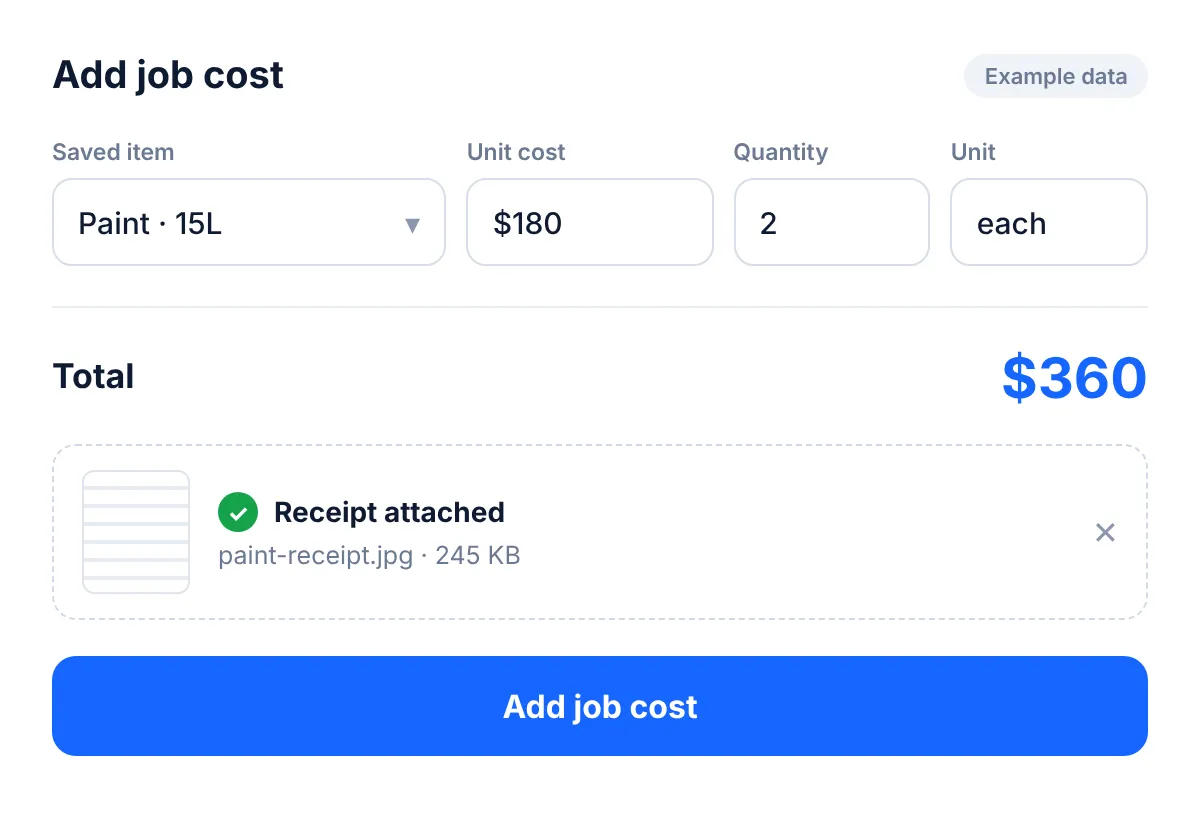
  3. Track time and costs. Record your hours, materials and other job expenses as you go.
  4. Send the invoice. Use what you've already entered, including deposit and balance invoices, then download the PDF.
  5. See the real return. See what the job returned per hour after the costs you recorded.
Trackexa flow: quote, then job, then invoice, then see what the job returned per hour.
Trackexa Add job cost form on a phone, logging a materials cost against a job
Example data

One login is the point

I'm Joel, a painter in Cairns, and I run my business on my own. A lot of job software is built for a boss with a crew. I wanted something for the person doing everything, so I built Trackexa.

Trackexa is one login per account. There are no per-user fees and no staff to set up, and you never pay for a dispatch board you'll never open.

If you've got an offsider, you can add your work days to Google Calendar (one-way) and share that calendar so they can see where you'll be. There are no team logins. If you run a crew and need dispatch, a bigger tool will suit you better. See how we compare with Fergus and Jobber.

Runs in your phone's browser

Trackexa runs in the browser on iPhone and Android, plus tablet and desktop. There's nothing to install. Open it in Safari or Chrome on site, then finish the paperwork on the laptop at night.

See which jobs are worth it

Trackexa showed me some 4-bedroom interior repaint jobs were returning around $65/hr after paint/materials, while other work was around $100/hr. That changed how I priced those jobs. (My own painting jobs, before overheads, tax and super.)

Trackexa shows each job's return per recorded hour: the job price, minus the costs you recorded, divided by the hours you recorded. It isn't take-home pay, but it shows you which work to price differently. See how the profit per hour tracker works, or try the job return calculator.

What Trackexa doesn't do

I'd rather you know before you sign up:

  • No accounting integration. Trackexa doesn't connect to Xero or MYOB. Keep your accountant or bookkeeping software for the books.
  • No online payments. Trackexa doesn't take payments. Customers pay you directly, the way they do now.
  • No team logins. It's one login, built for a sole trader.
  • No app store app. It runs in your browser.

Made for Australian sole traders

Australian financial year (July to June), GST views and AUD, without the overseas terminology. More on choosing tradie software in Australia.

Built by a painter? Yes. Here's how I use it for painting.

Trackexa Pro: $39 AUD a month inc GST. One plan, no job credits, no per-user fees.

Includes unlimited quotes and invoices (including deposit and balance invoices), job costs with saved priced items and receipt uploads, time tracking and hourly performance, the calendar with optional Google Calendar export, monthly income goals and hourly targets, and Australian FY and GST views.

Start your 14-day free trial

No credit card required.

FAQ

What should a sole trader look for in job management software?
Look for one login and one flat price, quotes that turn into jobs and invoices without retyping, and a clear view of what each job returned for your time. Trackexa is built for that: $39 AUD a month inc GST, one login, with return per recorded hour on every job.
Can I use Trackexa on my phone?
Yes. Trackexa runs in your phone's browser on iPhone and Android, as well as on tablets and computers. There's nothing to download or install. Sign in on site or at home and your work is there.
How much does Trackexa cost for a sole trader?
Trackexa is $39 AUD a month including GST, on one plan with no per-user fees or job credits. You can start with a 14-day free trial, and no credit card is required.
Can I add an offsider or staff?
No. Trackexa is one login per account, built for sole traders. You can add work days to Google Calendar (one-way) and share it, so an offsider can see the job details. If you need crew dispatch, a larger tool may suit you better.
Does Trackexa connect to Xero or MYOB?
No. Trackexa doesn't integrate with Xero or MYOB. Keep using your accounting software or accountant for the books. Trackexa handles quotes, jobs, time, job costs, invoices and the return on each job.
Can customers pay invoices online through Trackexa?
No. Trackexa doesn't take online payments. You send quotes and invoices, including deposit and balance invoices as PDFs, and customers pay you directly, the way they do now.